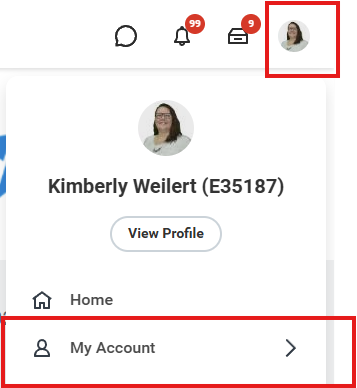
1. Go to your profile link in the top corner and choose My Account.
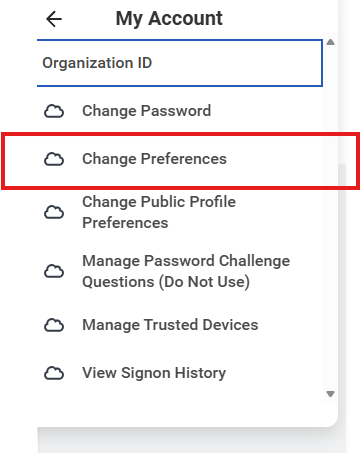
2. Click on Change Preferences.
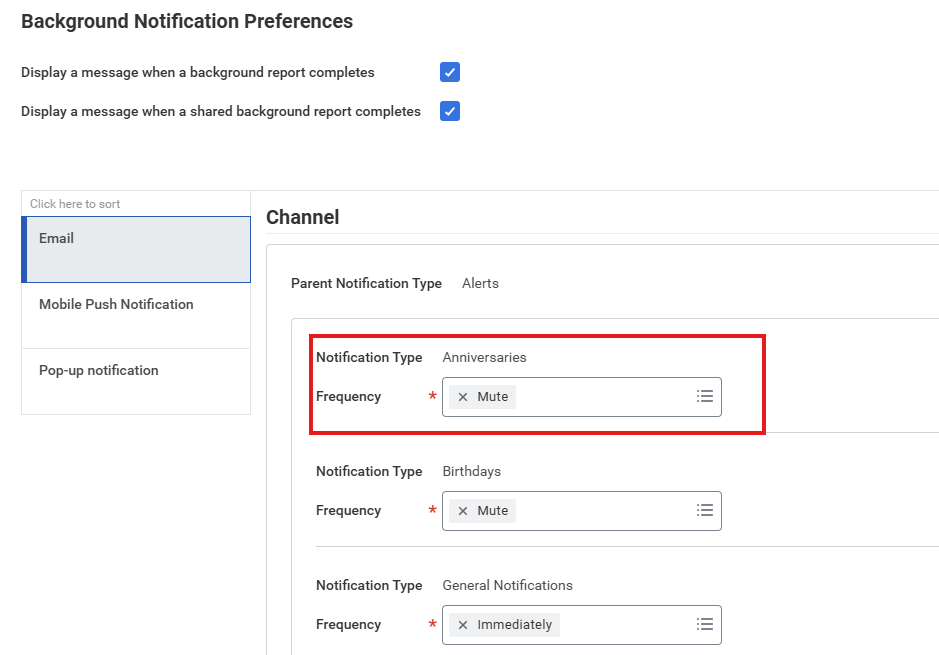
3. Scroll down to Background Notification Preferences and change any unwanted notification to Mute.
Was this article helpful?
That’s Great!
Thank you for your feedback
Sorry! We couldn't be helpful
Thank you for your feedback
Feedback sent
We appreciate your effort and will try to fix the article